
Turn Your Idea Into An N8N Workflow — Without Writing JSON.
// See plain English become a planned, validated, deployment-ready n8n workflow — in minutes, not days.
- Web Copilot: guided plan mode + agent mode
- Create, edit & validate n8n workflows
- Direct deployment to your n8n instance
- Connect n8n Cloud or self-hosted over HTTPS
- Agent and MCP for Cursor, Windsurf, OpenCode (included in every plan)
- RunFlowPilot validates workflow structure, checks connections, and helps identify execution errors before and after deployment.
- Draft, review, and validate before you deploy
- Every deploy is checked before it ships — schema, credentials, connections
- 8,000-example professional workflow reference library
- Free n8n account with full workspace access
- Free web hosting
- Four simple plans · subscribe in a few clicks
Hours Of JSON. Zero Certainty. Case Closed.
RESEARCH.
Spend hours researching nodes across docs and forums — then discover the parameter changed two versions ago, and start over.
COPY-PASTE.
Paste workflow JSON between tools, guess at credentials and hope the connections hold. Pay a freelancer if you give up — and hope they mapped it right, because you can't check it.
PRAY.
Deploy on Friday after days of work and pray no node throws a 401 over the weekend.
| Manual Work | Copy-Paste Templates | Patchwork Tools | RunFlowPilot | |
|---|---|---|---|---|
| Time per workflow | Hours of docs | Hours + guesswork | Days of duct tape | Minutes |
| Cost per workflow | Your evenings | Broken runs at 2am | Multiple subscriptions | One subscription |
| Validated before deploy? | ✕ Hope so | ✕ Can't check | ✕ Not this check | ✓ Checked before deploy |
| Direct n8n deployment | ✕ DIY | ✕ Manual import | ✕ Re-wiring | ✓ Built in |
| Scale with confidence? | ✕ Burnout | ✕ Breaks down | ✕ Breaks down | ✓ Reference library |
ABOUT RUNFLOWPILOT
WE KNEW WHAT TO AUTOMATE. BUILDING IT WAS THE HARD PART.
We kept running into the same problem: a clear automation idea turned into hours of choosing nodes, mapping data, and checking connections. Even when a workflow looked complete, we wanted a clearer way to review it before it reached n8n.
That experience led us to build RunFlowPilot. You can describe the outcome in plain English, inspect an editable workflow draft, refine it, and check it before deployment.
We built the workspace to help you understand and stay in control of what you automate.
HOW IT WORKS
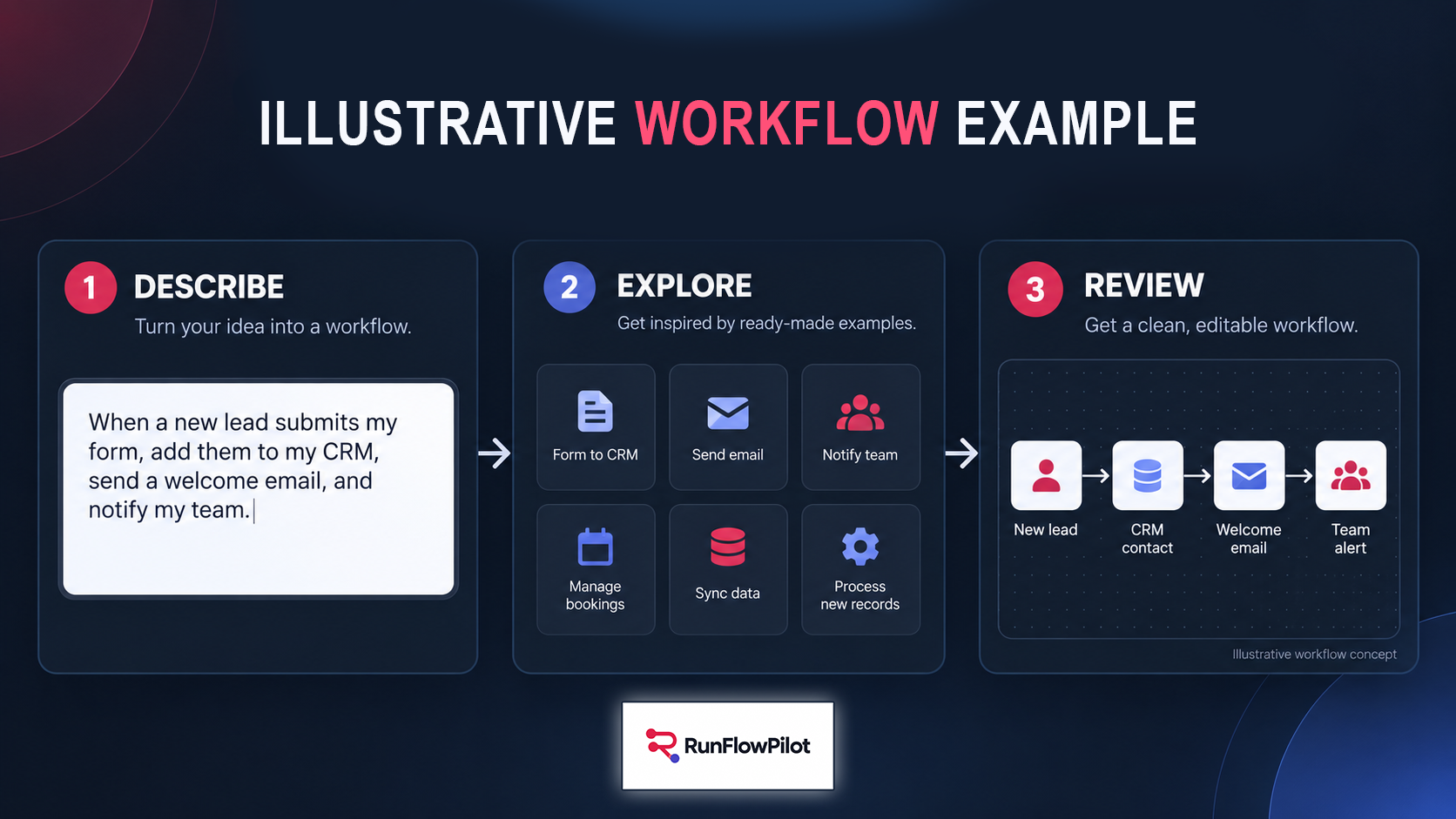
DESCRIBE IT. REVIEW IT. DEPLOY IT.
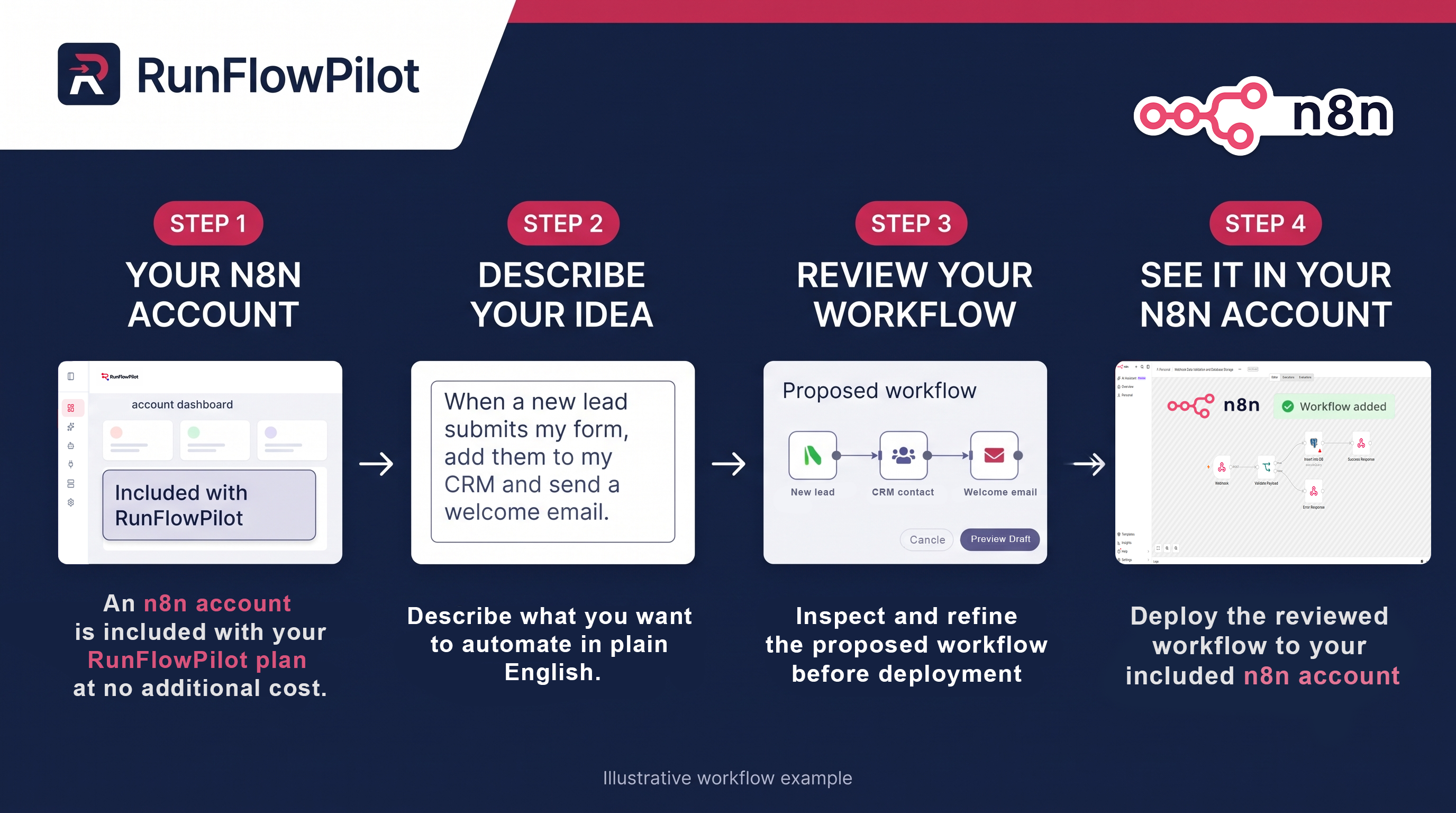
Start with the outcome you want. RunFlowPilot turns your request into an n8n workflow draft you can review, refine, and deploy to the n8n account included with your plan.
-
Describe your automation
Tell RunFlowPilot what should trigger the workflow, which tools it should use, and what you want to happen.
-
Review and refine
Inspect the proposed nodes and connections, request changes, and add the details your tools need.
-
Deploy to your n8n account
Send the reviewed workflow to the n8n account included with your plan. Test it, then activate it when you’re ready.
PRO FEATURE
BUILD N8N WORKFLOWS FROM YOUR FAVORITE AI CLIENT.
Connect RunFlowPilot to Cursor, Windsurf, or another compatible MCP client. Inspect workflow structure, create and edit nodes, and deploy to n8n from the environment you already use.
Included in every RunFlowPilot plan.
Ask your AI client to update an existing workflow. Review the proposed change in RunFlowPilot, then deploy the approved workflow to n8n.
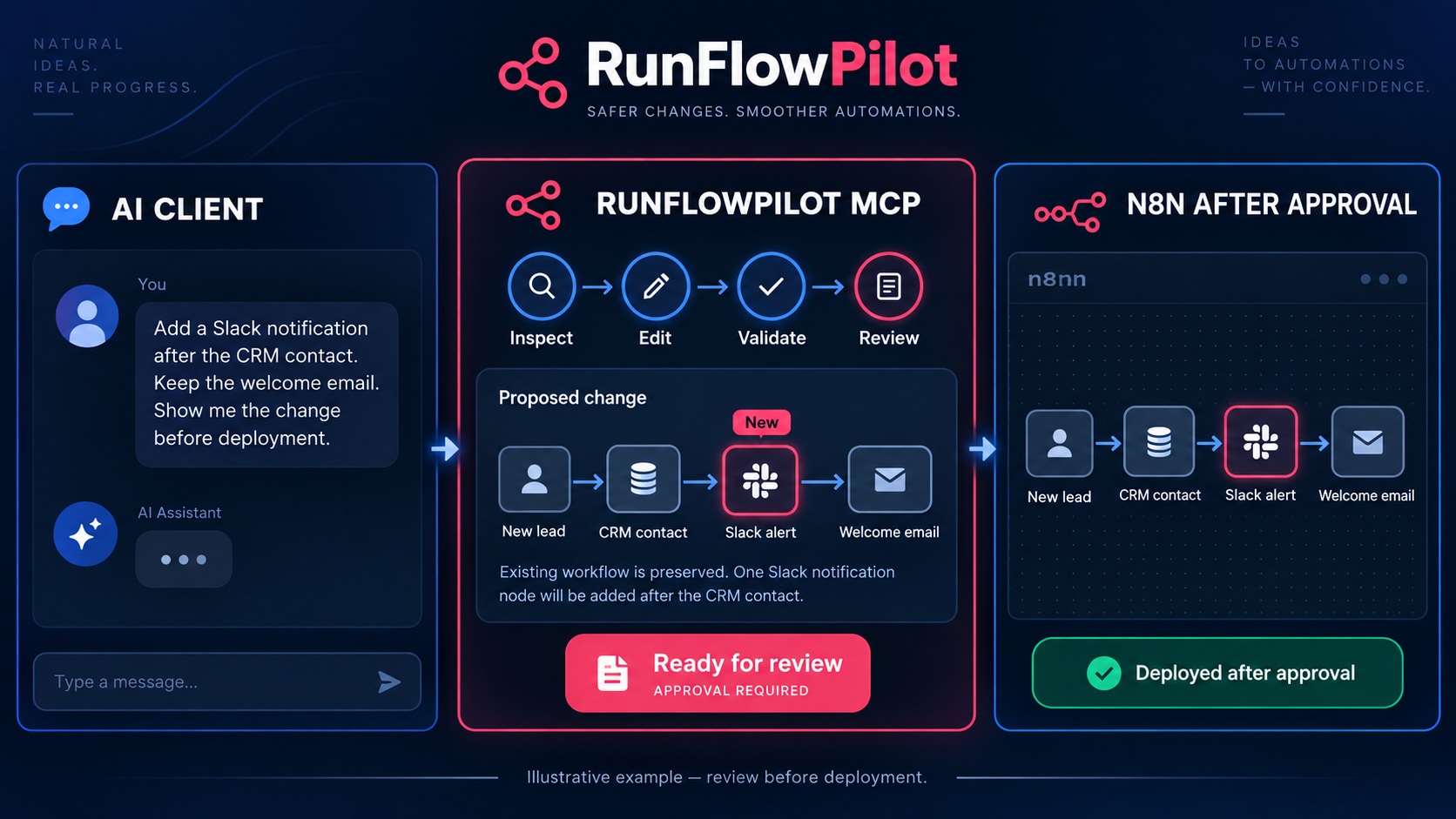
- Request an edit
- Review the change
- Deploy to n8n
Illustrative example — changes appear in n8n after review and deployment.
REVIEW & DIAGNOSTICS
REVIEW BEFORE DEPLOY. DIAGNOSE AFTER A RUN.
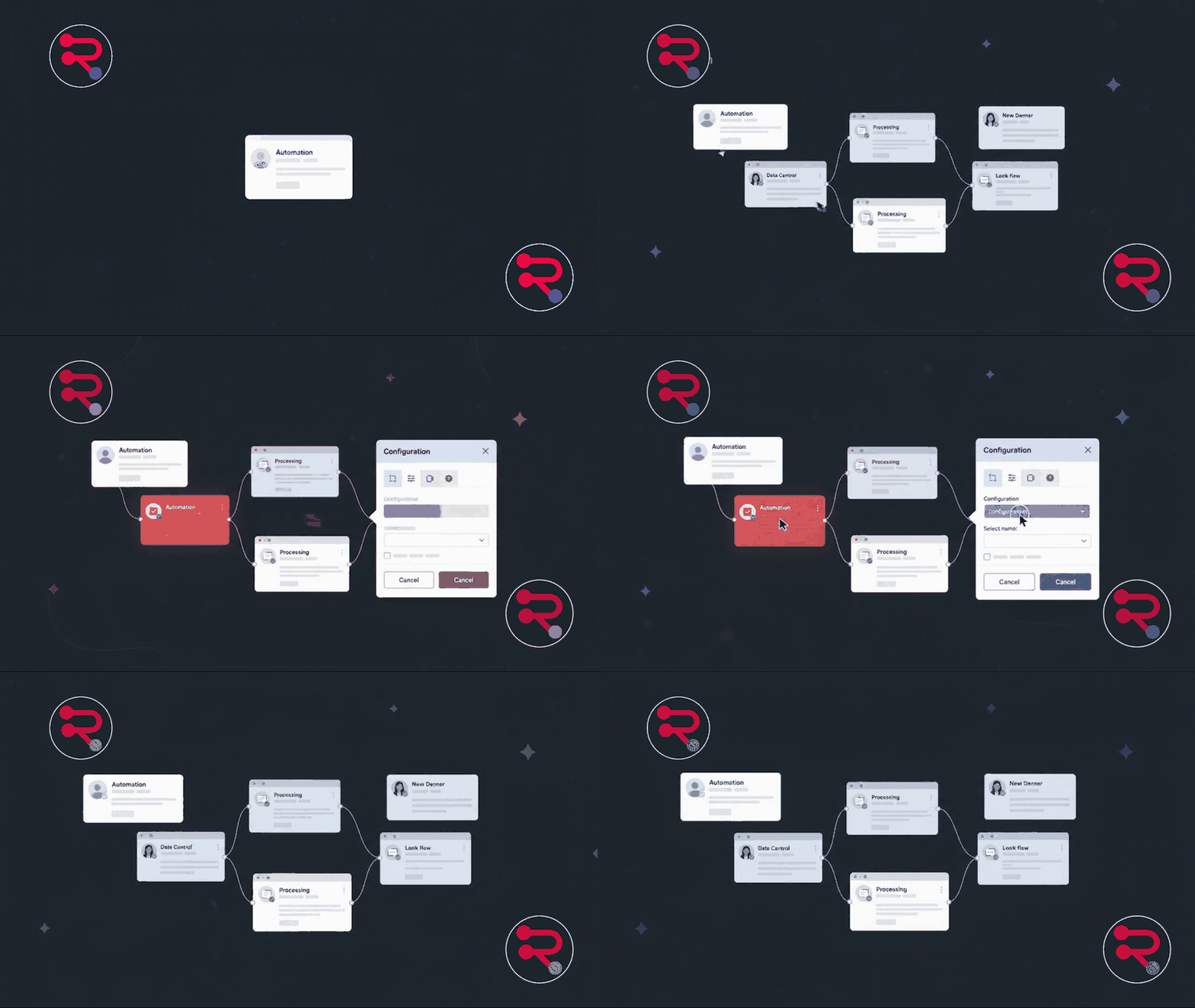
Inspect the workflow before it reaches n8n. Check its structure and configuration, then use execution details to locate a problem if a run needs attention.
-
Preview the workflow
Inspect the proposed nodes, parameters, and connections. Request changes before approving the draft.
-
Check before deployment
Check the workflow structure and node connections, and see whether required credentials are configured. Resolve flagged items before deploying.
-
Find the failed step
If an execution fails, locate the affected node and inspect available timing and execution data to guide your next change.
- Stripe TriggerCompleted
- HubSpot ContactCompleted
- Google Sheets AppendNeeds attention
See the affected node, inspect the run details, and decide what to change before trying again.
Illustrative diagnostic example; no customer execution data is shown.
THE RUNFLOWPILOT LIBRARY
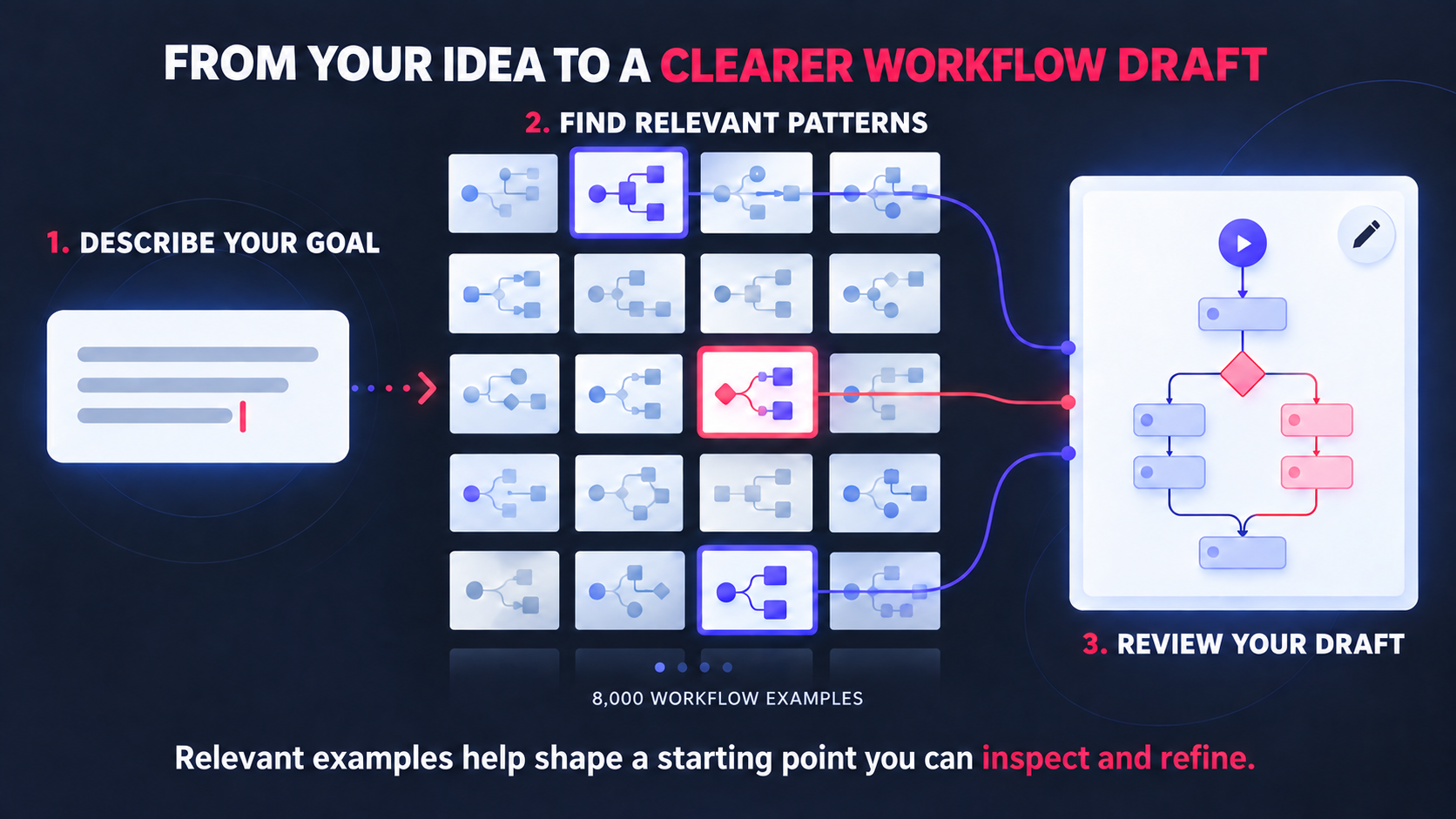
8,000 WORKFLOW EXAMPLES. ONE CLEARER STARTING POINT.
8,000-example professional workflow reference library.
RunFlowPilot draws on a reference library of 8,000 professional n8n workflow examples to help prepare more relevant starting points for your request. These examples can reduce unnecessary prompting and help you use your RunFlowPilot AI credits more efficiently.
The 8,000 examples are reference material used when preparing your workflow draft. They are not 8,000 workflows saved or deployed in your n8n account. You still review the connections, provide any required configuration, and test the workflow for your setup.
INCLUDED WITH YOUR PLAN
YOUR N8N SETUP. YOUR CHOICE.
Already have an n8n account? Connect it to RunFlowPilot and keep working with your existing setup. Starting from scratch? Choose the n8n account included with your RunFlowPilot subscription at no additional cost. Either way, you can describe, review, validate, and deploy workflows from the same RunFlowPilot workspace.
See the workflow in n8n, test it, and activate it when you’re ready.
- Connect your existing n8n account
- Or use the included n8n account
- Full access to your included n8n workspace
- Web hosting included at no additional cost
Included with your active RunFlowPilot subscription.
USE CASES
WHAT WOULD YOU AUTOMATE FIRST?
Start with work your team repeats. These examples show how a simple request can become a workflow you can review and adapt.
Turn a payment into a welcome sequence.
“When a Stripe payment succeeds, add the customer to HubSpot and send a welcome email.”
Illustrative workflow example. Connect your tools, review the draft, and test it for your setup.
-
Support requests
When a support form is submitted, log the request, assign an owner, and alert the team.
-
Content handoffs
When a Notion item is approved, save it to Google Drive and notify the editor.
-
Daily digests
Every morning, collect yesterday’s new orders and email the team a digest.
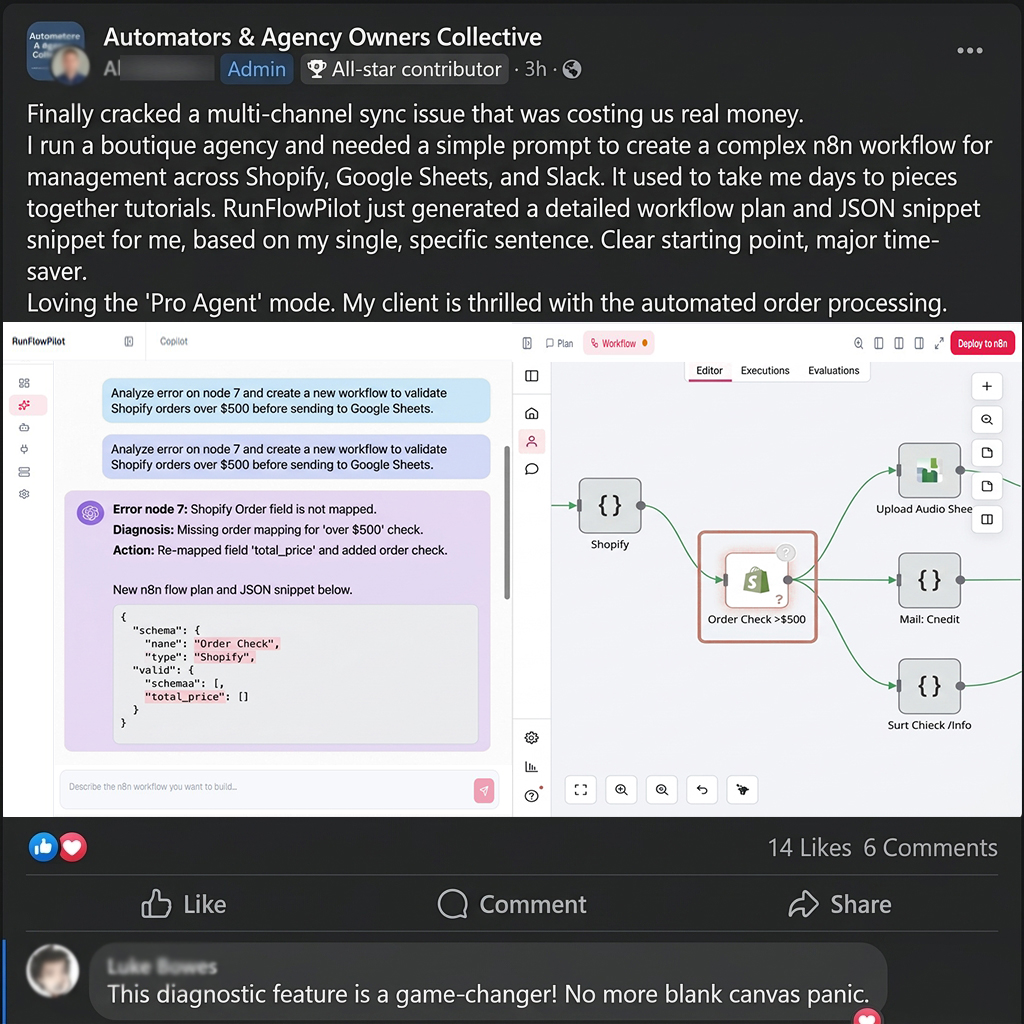
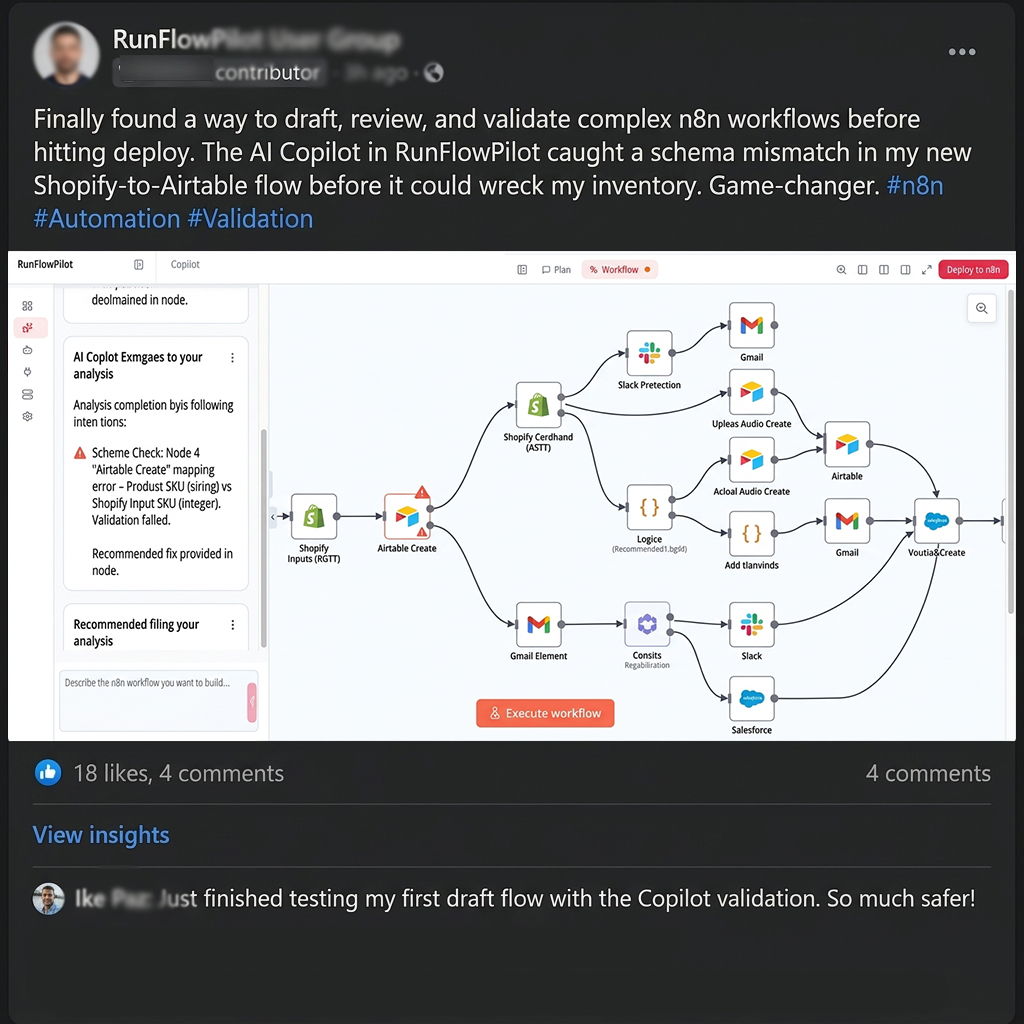
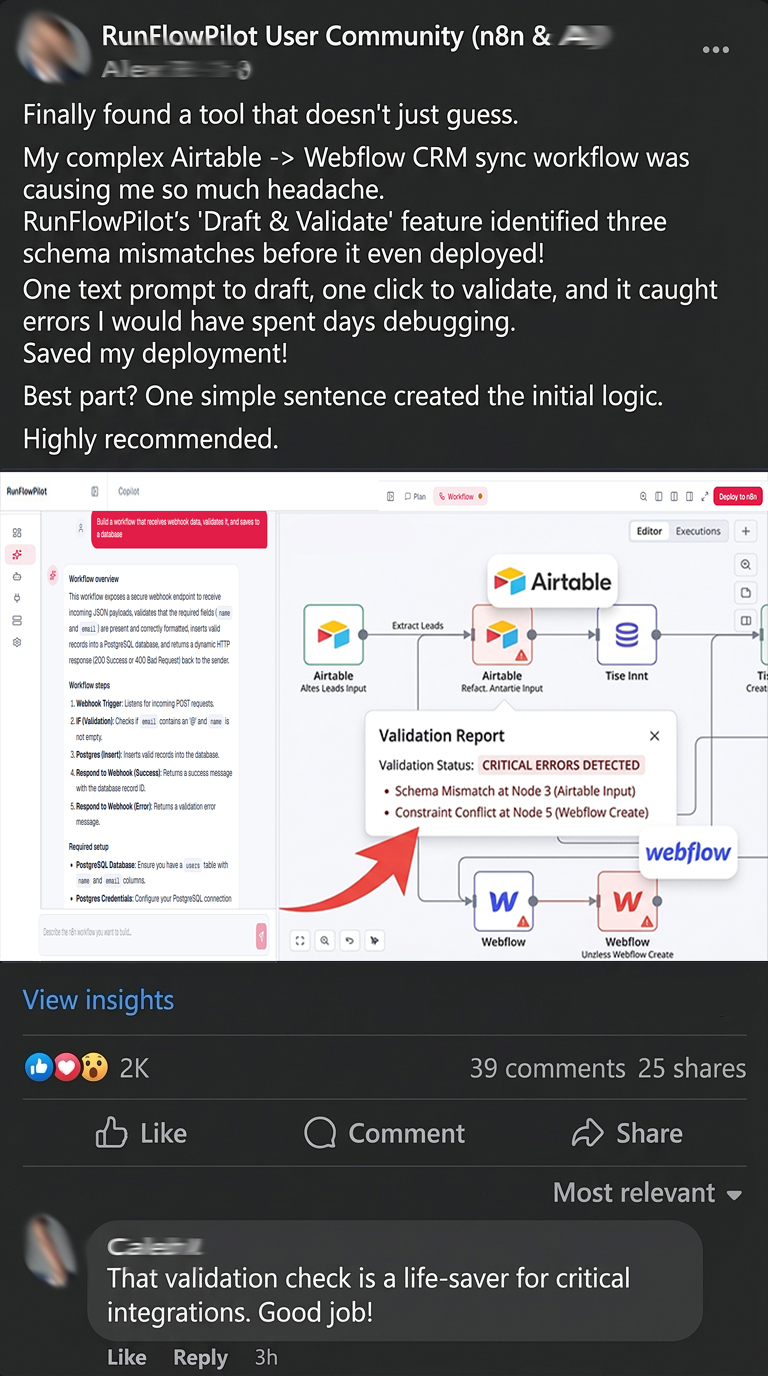
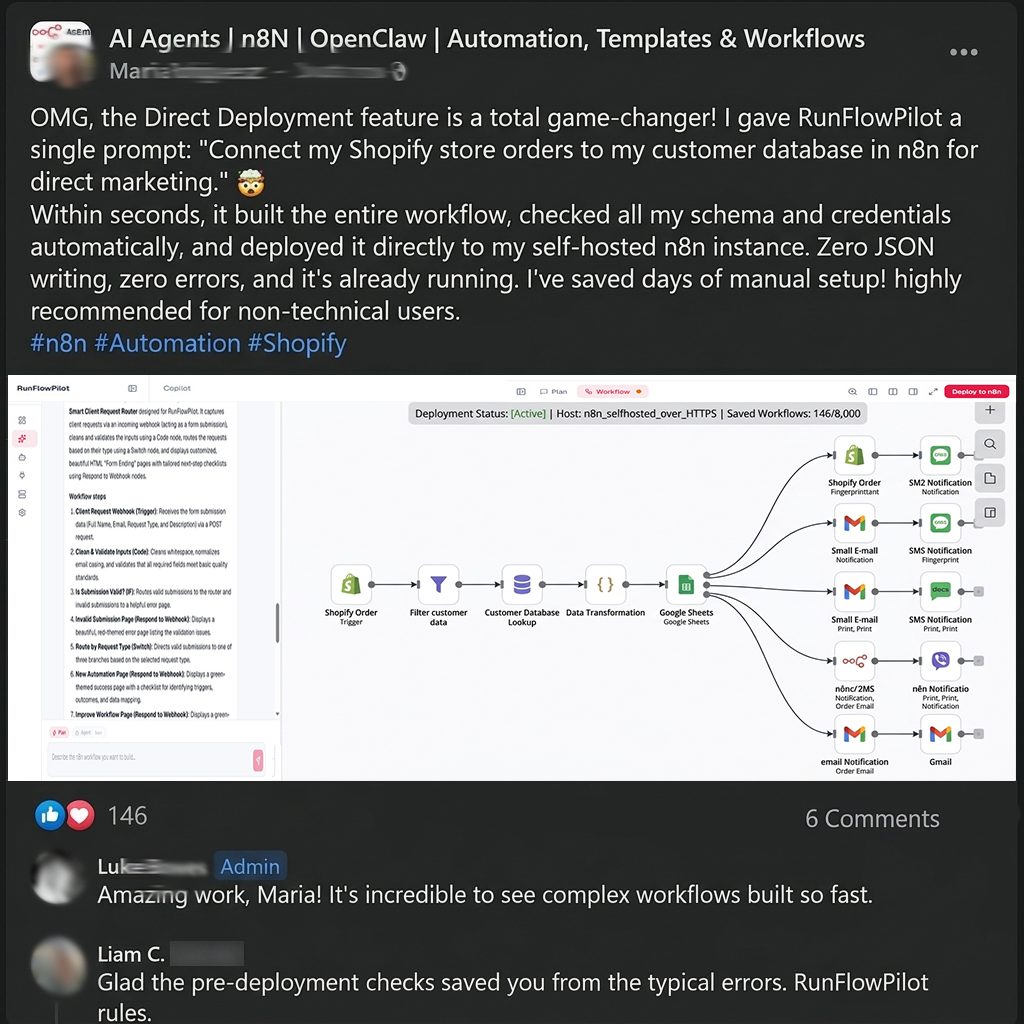
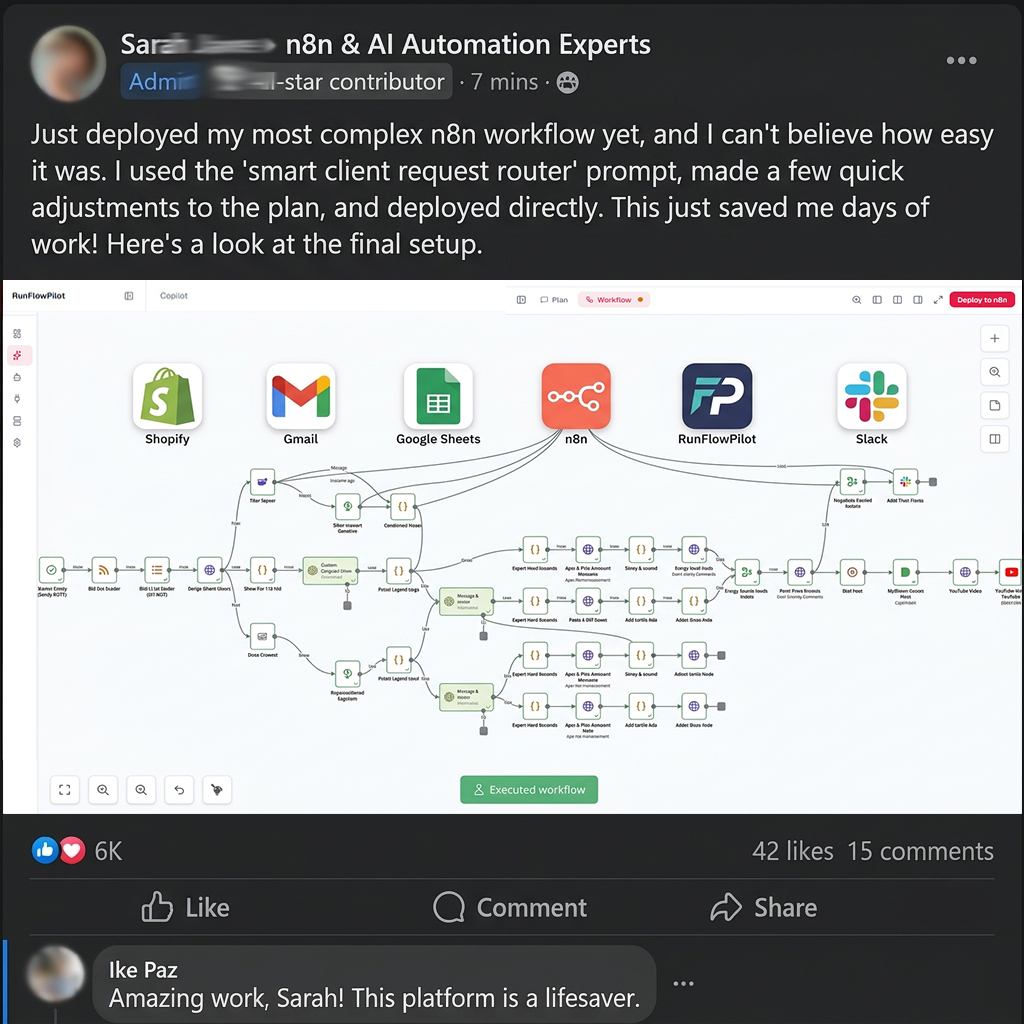
HEAR FROM BUILDERS WHO TRIED RUNFLOWPILOT.
Explore feedback and workflow examples shared by RunFlowPilot customers.
PLANS & PRICING
CHOOSE HOW YOU WANT TO BUILD.
Choose Builder or Pro by the monthly AI-credit allowance that fits how much you build. Pick the billing option that fits you.
Builder
For individuals and small teams building n8n workflows with 200 RunFlowPilot AI credits each month.
- 200 RunFlowPilot AI credits per month
- Web Copilot and workflow editing
- Agent and MCP access
- Workflow validation and direct deployment
- Execution diagnostics
- Connect your existing n8n account or use the included account
- Free n8n account with full workspace access
- Free web hosting
- 8,000-example professional workflow reference library
The included n8n account and web hosting remain available with an active RunFlowPilot subscription.
$29/month
200 AI credits per month
Credits reset monthly. Unused credits do not roll over.
$288/year
Equivalent to $24/month
200 AI credits per month
Credits are released monthly. Unused credits do not roll over.
Pro
For active builders and teams that need 600 RunFlowPilot AI credits each month.
- 600 RunFlowPilot AI credits per month
- Web Copilot and workflow editing
- Agent and MCP access
- Workflow validation and direct deployment
- Execution diagnostics
- Connect your existing n8n account or use the included account
- Free n8n account with full workspace access
- Free web hosting
- 8,000-example professional workflow reference library
The included n8n account and web hosting remain available with an active RunFlowPilot subscription.
$49/month
600 AI credits per month
Credits reset monthly. Unused credits do not roll over.
$468/year
Equivalent to $39/month
600 AI credits per month
Credits are released monthly. Unused credits do not roll over.
Each option opens its corresponding WarriorPlus checkout. Review your selected price and billing term before subscribing.
Every plan includes the n8n account, validated deploys, and encrypted key storage. Cancel anytime.
Every paid plan carries a 15-calendar-day refund window — full terms in the Refund Policy. Cancelling stops future charges; refund requests are handled per that policy.
Got Questions? Answered.
What is RunFlowPilot?
RunFlowPilot is an AI-powered workflow engineering platform for n8n. It turns plain-language descriptions into production-ready workflows, validates the configuration, and deploys directly to your connected n8n instance. No coding experience needed.
What do I need to get started?
A RunFlowPilot account — pick the plan that fits and subscribe in a few clicks through the WarriorPlus checkout. Your plan includes an n8n account, or connect an n8n instance you already own (Cloud or self-hosted, reachable over HTTPS) with its URL and API key.
Does it work with self-hosted n8n?
Yes. RunFlowPilot works with both n8n Cloud and self-hosted n8n installations. As long as your instance is accessible over HTTPS, you can connect it. Your API key is encrypted before storage and is never returned to the browser.
What is the difference between Web Copilot, Agent, and MCP?
Web Copilot lets you build workflows by chatting in the browser, with guided plan mode and direct agent mode. Agent runs with approval gates, versions, and rollback snapshots. MCP connects RunFlowPilot to your AI client — Cursor, Windsurf, OpenCode, Claude, ChatGPT, or Codex — so you can build from your preferred environment. Agent and MCP access are included in every RunFlowPilot plan.
Can RunFlowPilot edit an existing workflow?
Yes. RunFlowPilot can read an existing workflow, understand its structure, and make targeted edits — adding nodes, changing parameters, or restructuring connections without rebuilding the entire workflow.
Can I review a workflow before deployment?
Yes. Every generated workflow is shown in a readable preview before it reaches n8n. Inspect nodes, parameters, and connections — approve or request changes before deploying.
Which plan should I choose?
Choose the plan that fits: Builder ($29/month, 200 RunFlowPilot AI credits per month) or Pro ($49/month, 600 RunFlowPilot AI credits per month), monthly or annual. Describe what you want to automate and RunFlowPilot handles the rest.
What happens after I click a plan button?
The plan buttons open the WarriorPlus checkout — you create your account, confirm your chosen plan and billing interval there, and subscribe in a few clicks.
What is the 8,000-example library?
RunFlowPilot draws on a reference library of 8,000 professional n8n workflow examples to help prepare more relevant starting points for your request. These examples can reduce unnecessary prompting and help you use your RunFlowPilot AI credits more efficiently. The 8,000 examples are reference material used when preparing your draft. They are not 8,000 workflows saved or deployed in your n8n account. Your plan's credit limits still apply.
How do Builder and Pro differ?
Both plans include the same features: Web Copilot and workflow editing, Agent and MCP access, validation and direct deployment, execution diagnostics, the included or connected n8n account, web hosting, and the 8,000-example reference library. The only difference is the monthly allowance: Builder includes 200 RunFlowPilot AI credits per month, and Pro includes 600.
How does annual billing work?
Annual plans are billed once per year — Builder $288/year (equivalent to $24/month) and Pro $468/year (equivalent to $39/month). AI credits reset to the full monthly allowance each month.
Do unused credits roll over?
No. AI credits reset monthly on both monthly and annual plans. Unused credits do not roll over.
How do payments and cancellation work?
Checkout and subscription billing are handled securely through WarriorPlus. Cancel anytime from the upgrade page — access continues until the end of the paid period. To stop future charges, also cancel in your billing account (Account > Purchases/Subscriptions). Every paid plan includes a 15-calendar-day refund window — full terms in the Refund Policy.
What about Enterprise?
Enterprise is custom-priced for organizations — everything in Pro plus dedicated support. Contact sales at contact@runflowpilot.com and we will scope it with you.
Where do I get help?
Open the in-app docs and guides, check the status page, or email contact@runflowpilot.com. See the refund policy in the footer for billing terms.
YOUR NEXT WORKFLOW
YOUR NEXT WORKFLOW STARTS WITH ONE SENTENCE.
Describe what you want to automate. RunFlowPilot helps turn your request into an n8n workflow draft you can inspect and refine. When it is ready, deploy it to the n8n account included with your plan.
Builder or Pro · Monthly or annual · Secure checkout with WarriorPlus